
The key to any successful Read-A-Thon is promotion! promotion! promotion! Read-A-Thons are well-loved by students, parents, teachers, and PTAs, but only if people know about them and have the opportunity to participate in them.
In a recent post, we provided sample emails for Read-A-Thons. While emails are a critical component of any marketing campaign, many parents are inundated with them, making it essential to diversify your promotion to reach as many people as possible.
In addition to emails, we recommend three key promotional methods: posters (with a QR code for quick sign-up), flyers (also with a QR code), and social media posts. We also encourage teacher and administrator involvement, as well as hosting complementary Read-A-Thon events, such as Drop Everything And Read. However, in this post, we’ll focus on direct promotion strategies that encourage sign-ups and build excitement.
On the ForOurSchool.org dashboard, we provide printable flyers, as well as Read-A-Thon images and QR codes that you can incorporate in your posters. In this post, we’ll explore how to effectively use social media to promote your event and maximize sign-ups and participation.
3 Days Before Event
By this point, you should have sent your initial teaser email introducing the Read-A-Thon, covering the what, when, why, and how of participation. Now, in the final days before the event, your focus should shift to registration.
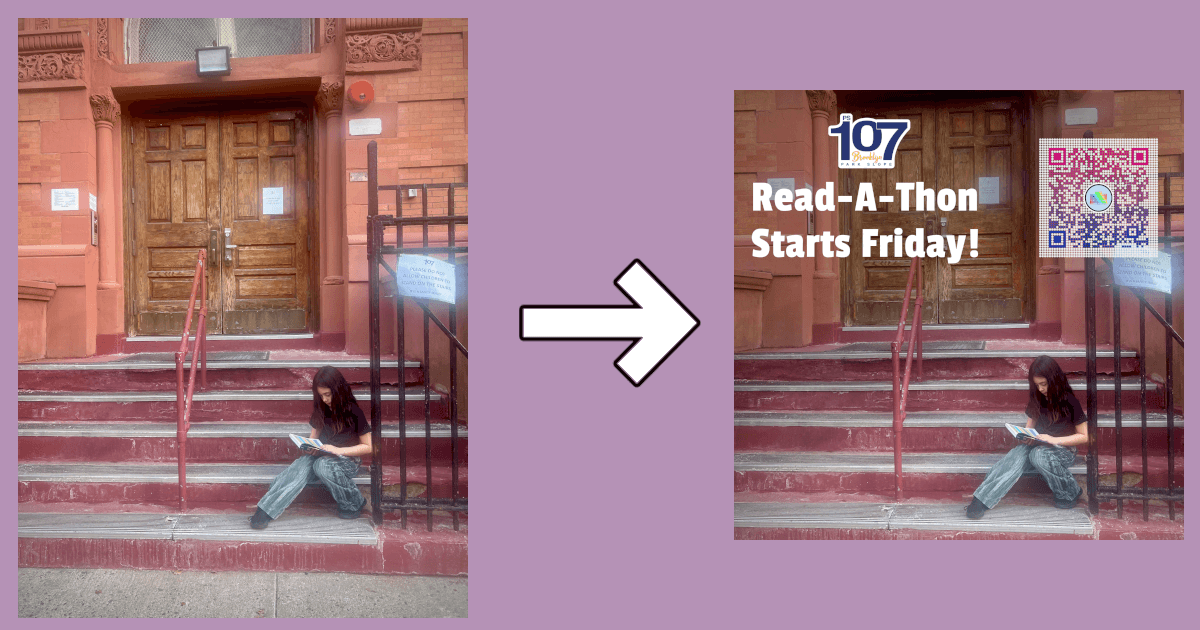
At PS107, an elementary school in Brooklyn, NY, organizers promoted their Read-A-Thon by posting a photo on instagram, featuring a third-grade student reading a book on the school steps. The post included the event name, start date, and a QR code for easy registration. While including a QR code in an Instagram post may seem counterintuitive—since parents are likely viewing the post on their phones—the more exposure they have to the sign-up process, the more likely they are to eventually register.
For Instagram, posts should be cropped to 1080 x 1080 pixels, but should include at least a 35-pixel margin, as Instagram crops the photos in the grid view.
Every 3 Days After Start of Event
Throughout the event, you are likely sending regular email updates and encouragement, but don’t let that stop you from also posting consistently on social media. These posts can feature photos of your readers and updates on participants’ progress toward their rewards.
If your Read-A-Thon only offers individual awards, your updates can highlight total reading time and total donations—ideally measured against a pre-determined goal.
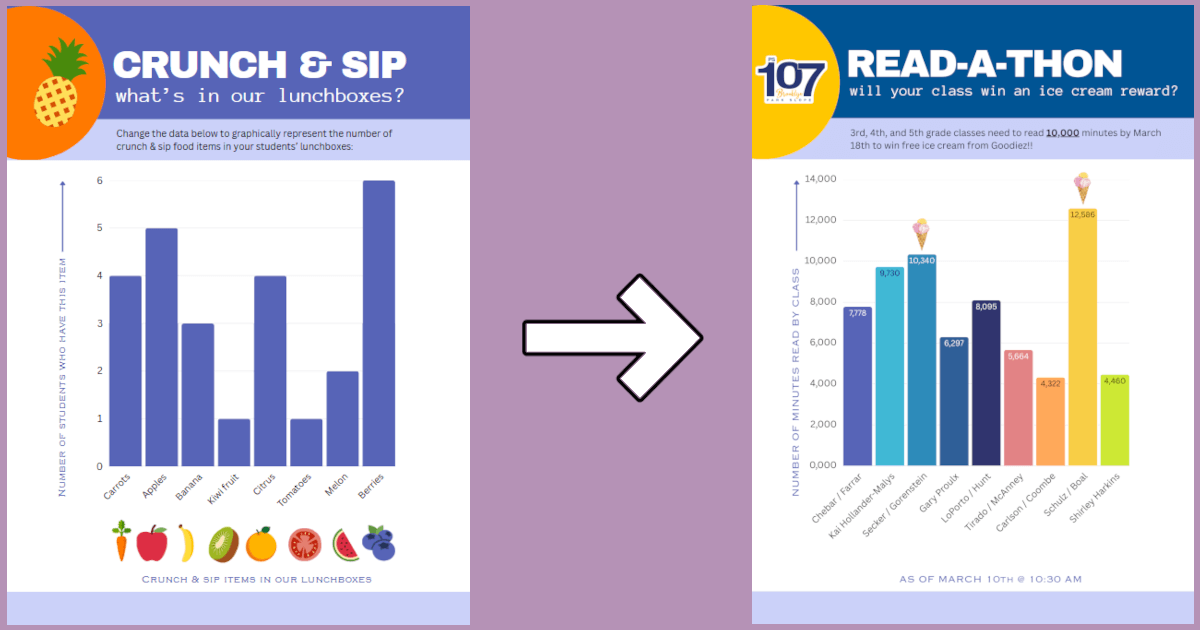
At PS107, students could earn an ice cream certificate if their class collectively met its reading goal. To keep momentum high, PS107 regularly posted updates showing each class’s progress. They used Canva’s free “Crunch & Sip” design template and incorporated ice cream images (also from Canva) for any class that had already reached its goal.
Feel free to post as often as your schedule allows. Keep in mind that many followers of your school’s social media pages may not regularly check their emails. Social media can be an excellent way to reach a broader audience and boost participation.
Leave a Reply
You must be logged in to post a comment.